
Is an Arena of Champions download required?
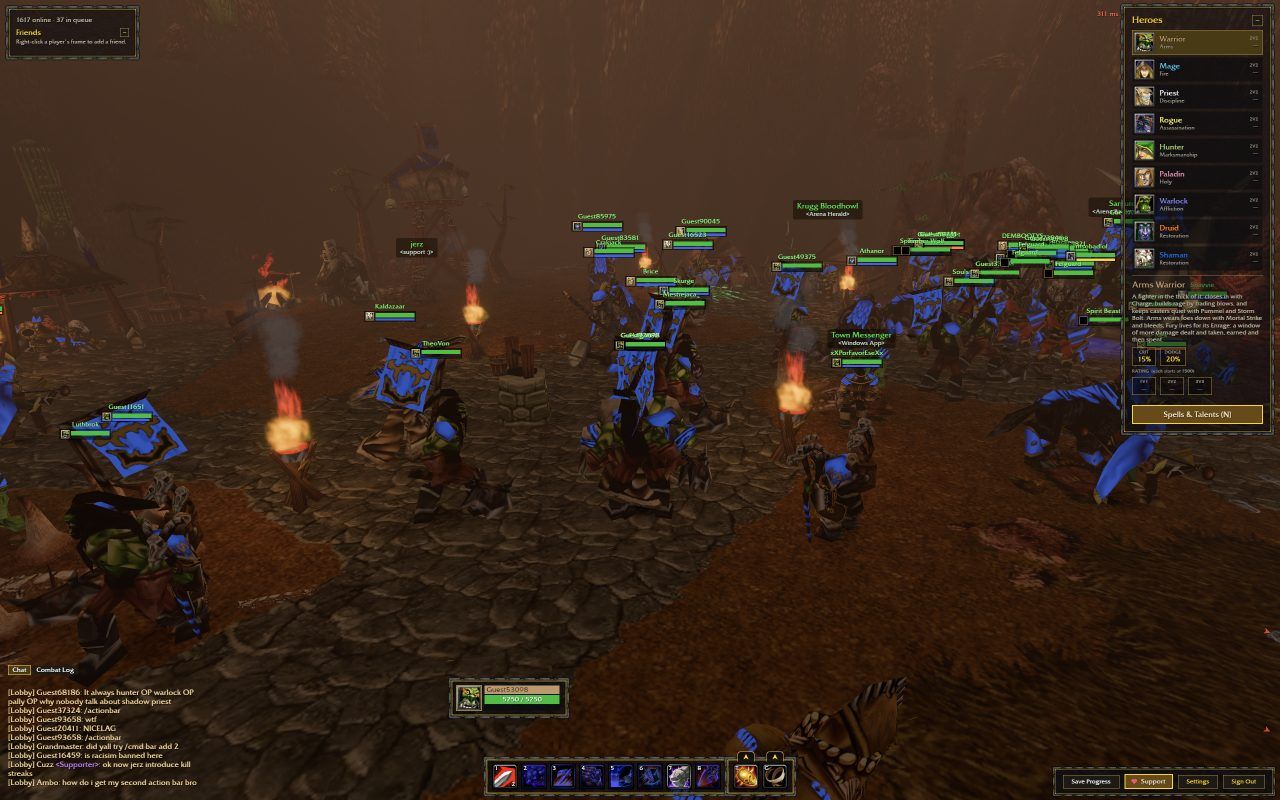
No separate Windows installation was needed for our guest browser session. We entered Town and completed an unrated 1v1 through the embedded game. An Arena of Champions download search can therefore lead to two different choices: loading game resources in a browser or obtaining the standalone Windows file.
Browser play still transfers data. Images, code and game resources must reach your device before play can begin, and an online session needs a connection. In this Arena of Champions download guide, ‘without installing’ means you do not have to install the Windows client for the documented browser route; it does not mean the game works offline.
Find the official Arena of Champions download
Start on the official game screen
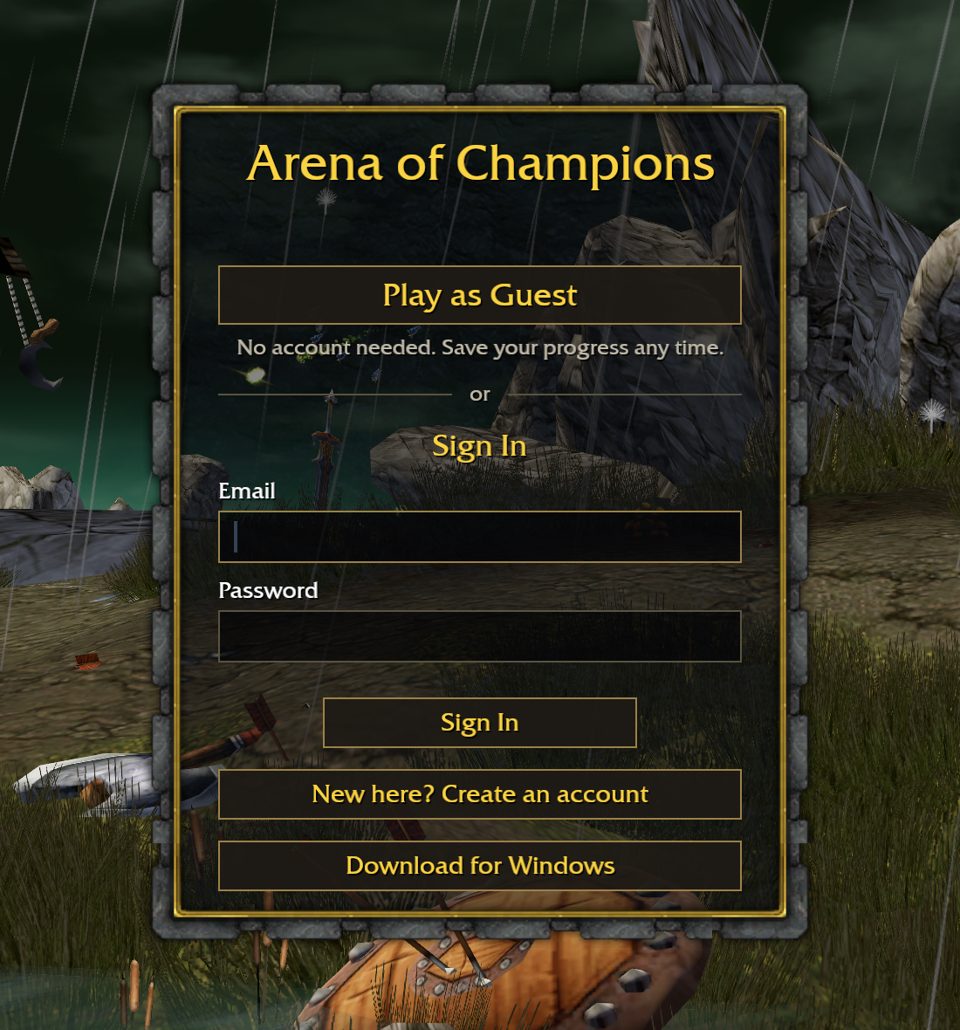
Open arenaofchampions.live and locate Download for Windows beneath the login area. This ties the Arena of Champions download to the game’s own destination, rather than a similarly named search result or a file mirror.
Check the destination
The checked file address is https://arenaofchampions.live/download/ArenaOfChampions.exe. The Arena of Champions download link returned HTTP 200 with an attachment response. That establishes a reachable file endpoint, not a security audit or a successful Windows installation.
Choose whether to retrieve the file
The direct link below goes to the provider’s file and may start a download. We do not host a copy. If you only want to inspect gameplay, return to the browser entry instead of treating an Arena of Champions download as a prerequisite.
Arena of Champions download vs browser play
Choose the browser if your immediate goal is to see the town and arena controls. Choose the Arena of Champions download only if you specifically want to investigate the Windows option and can evaluate its requirements on your own device. Neither route is a basis for claiming lower latency, higher frame rates or account synchronization.
Do not confuse this Arena of Champions download with the official World of Warcraft client. They belong to separate services. This page does not provide a WoW installer, a Blizzard account connection or a method to transfer an official WoW character.
| Decision | Browser | Windows file |
|---|---|---|
| Entry | Open the embedded or official web game | Retrieve the official .exe |
| Separate installation | Not needed for the tested session | Standalone file offered; setup flow untested |
| Verified result | Guest Town and completed unrated 1v1 | Download endpoint responded successfully |
| Device coverage | Tested desktop browser setup | Windows requirements not independently verified |
| Progress sharing | Not verified across sessions or platforms | Not verified |
| Performance comparison | No controlled benchmark | No controlled benchmark |
Before opening an Arena of Champions download
Check the source address and retain your operating system’s normal file protections. If the file is blocked or a warning appears, read the message and consult the game’s own information before proceeding. An Arena of Champions download guide should not ask you to switch off security software to make an untested executable run.
Check the provider’s current system requirements before opening the file. Minimum memory, supported Windows releases and setup screens have not been independently verified for this Arena of Champions download.
If you already played as a guest in a browser, do not assume the desktop file will import that session. Keep account and progress questions separate from file retrieval. The registration guide explains which login fields were observed and which persistence behaviors remain unknown.
Arena of Champions download problems
Avoid substituting an unknown mirror when an Arena of Champions download fails. The provider can change or remove a file, and an old guide cannot guarantee ongoing availability. Go back to the actual game screen to establish the current destination before trying again.
If you only want to play, the browser tutorial offers a complete tested path into one match. It covers focus, loading and the arena NPC. Those checks are more relevant to a browser failure than repeatedly retrying an Arena of Champions download that you do not need for web play.
| Problem | Practical next step |
|---|---|
| File link does not open | Return to the official login screen and check its current Windows link |
| Download stops partway | Check your connection and the browser’s download status before retrying |
| Operating system shows a warning | Keep protections enabled; confirm the source and consult provider information |
| File cannot run on this device | Use the browser route; no macOS or mobile installer is verified here |
| Browser game also fails | Treat that as a separate loading or service issue |
FAQ
Before you go
Is Arena of Champions download mandatory?
No. Guest browser play and a completed unrated 1v1 were verified without installing the Windows file. Your browser still needs to load the game’s resources and maintain an online connection.
Where is the Windows Arena of Champions download?
The official game screen offers Download for Windows. The checked destination is arenaofchampions.live/download/ArenaOfChampions.exe; use the provider’s own screen if that address changes.
Can I skip the Arena of Champions download and play now?
Yes, use the homepage browser player or open the official web game. This is the route used for our guest-session test; it is separate from the untested Windows installation process.
Is the Arena of Champions download faster than browser play?
We have no controlled comparison and have not run the Windows file. A standalone download should not be presented as a verified performance improvement.
Will the Arena of Champions download share my progress?
Cross-platform progress, guest persistence and account synchronization have not been independently verified. Do not rely on any of them simply because both entry points refer to the same game.