
Prepare for a WoW browser arena session
Start with a stable internet connection and a desktop setup where the game has room to render. The WoW browser arena interface is in English even when you enter from our Korean guide. Allow the initial game resources to load before interpreting a blank or loading frame as a failure.
A page opening on a phone does not establish that the game supports touch combat. Our WoW browser arena check used mouse and keyboard. Likewise, WebGL 2 and WebGPU are different browser graphics capabilities; do not apply another game’s WebGPU requirement to this one. Use the game’s own message to diagnose a graphics problem.
Step 1: enter the WoW browser arena as a guest
Open the player
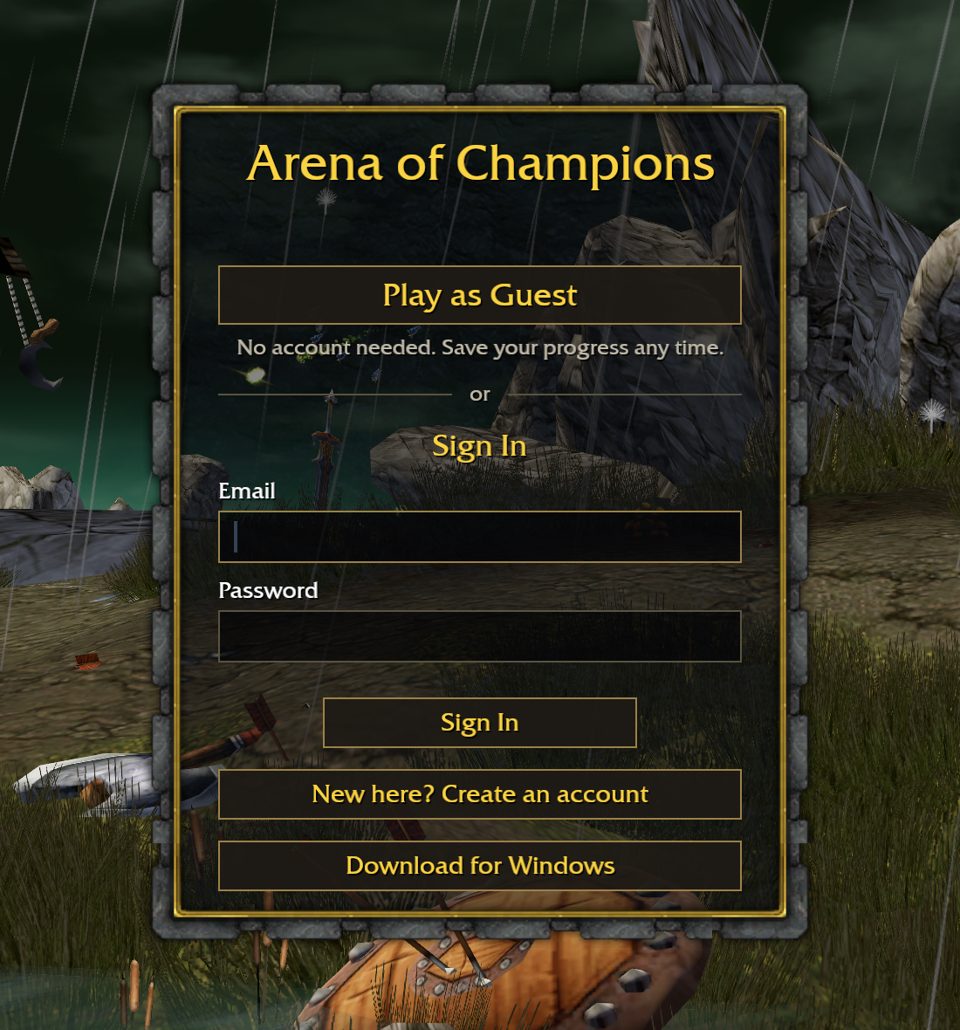
Go to the homepage game area and wait for the actual login screen. The surrounding website can load before the WoW browser arena itself is ready. If the frame cannot show the game, the official-site link provides a separate browser-tab entry.
Choose Play as Guest
Select the button inside the game, not a browser or website account button. Our WoW browser arena guest session reached Town without registration. This confirms a way to begin; it does not prove that a guest character survives a later browser reset.
Locate your character
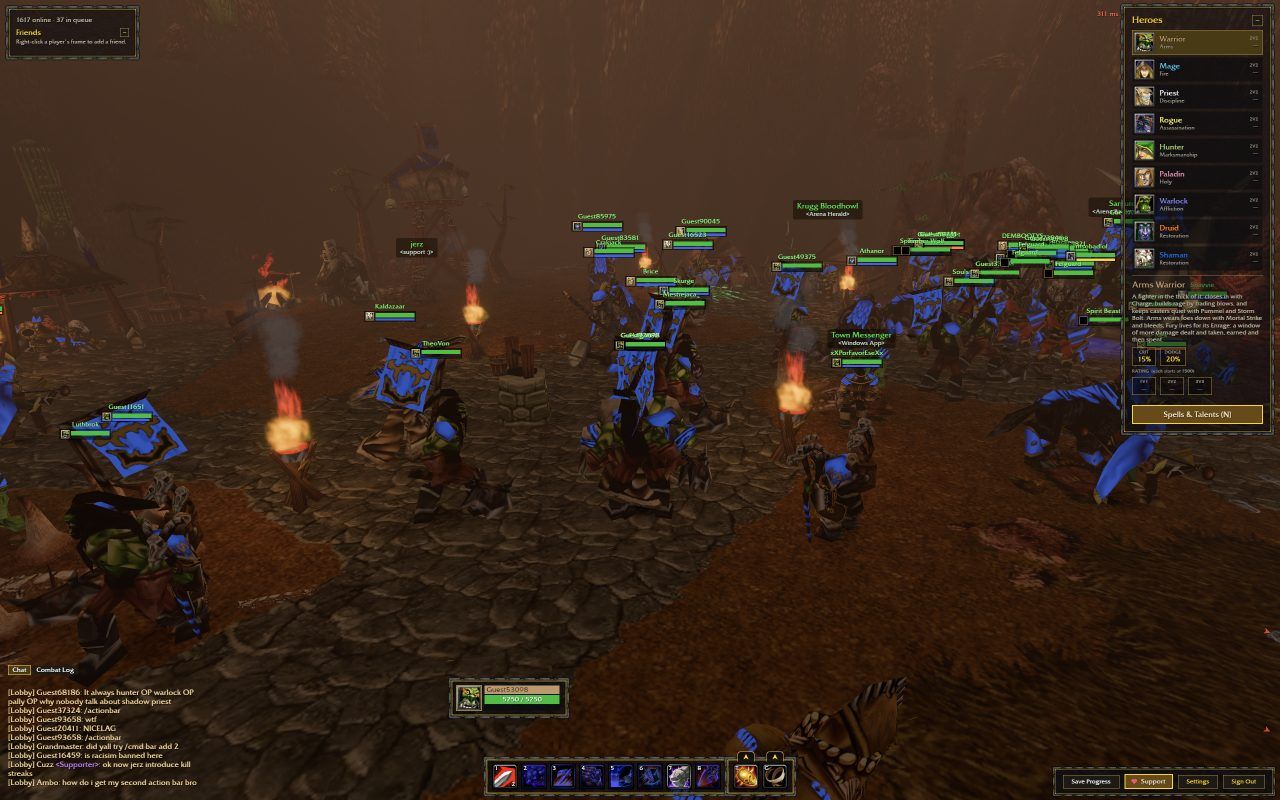
Once Town appears, click inside the game and check that your character responds. Keep your first actions simple. You can review the scene and controls before entering a WoW browser arena queue.
Step 2: choose and inspect a hero
Open Heroes to examine the nine class choices. Before your first WoW browser arena match, read the available ability descriptions and look for the corresponding interface hints. A class name familiar from WoW does not guarantee identical spells, keybindings or specialization behavior.
Choose one hero to learn first. Switching repeatedly can make it harder to tell whether a missed action came from a different ability or an input problem. The goal of this WoW browser arena tutorial is a controlled first session, not a claim about the best class or competitive build.
Step 3: learn the WoW browser arena controls
When a WoW browser arena key appears unresponsive, first check where focus is. A selected address bar, an open website menu or the page outside the frame can receive your keystrokes instead. Click back into the game, then try a simple movement input before testing combat abilities.
Do not assume that familiar MMO shortcuts apply. Consult the current controls information and ability bar inside this WoW browser arena. We only label W/D movement and the Samuro right-click interaction as independently checked inputs; an exhaustive keyboard guide would require additional verification.
| Action | Input | What was observed |
|---|---|---|
| Movement | W and D | Character movement in Town |
| Battlemaster interaction | Right-click Samuro | Arena selection interface opened |
| Keyboard focus | Click inside the game | Use the game canvas before issuing movement commands |
| Other abilities | Read the current interface | Full ability bindings were not independently audited |
Step 4: join your first WoW browser arena match
Find Samuro in Town
Approach the Arena Battlemaster and right-click. Review the mode and rating choices before joining. We used unrated 1v1 for the WoW browser arena playtest, keeping the session focused on one complete route into combat.
Join and watch the game state
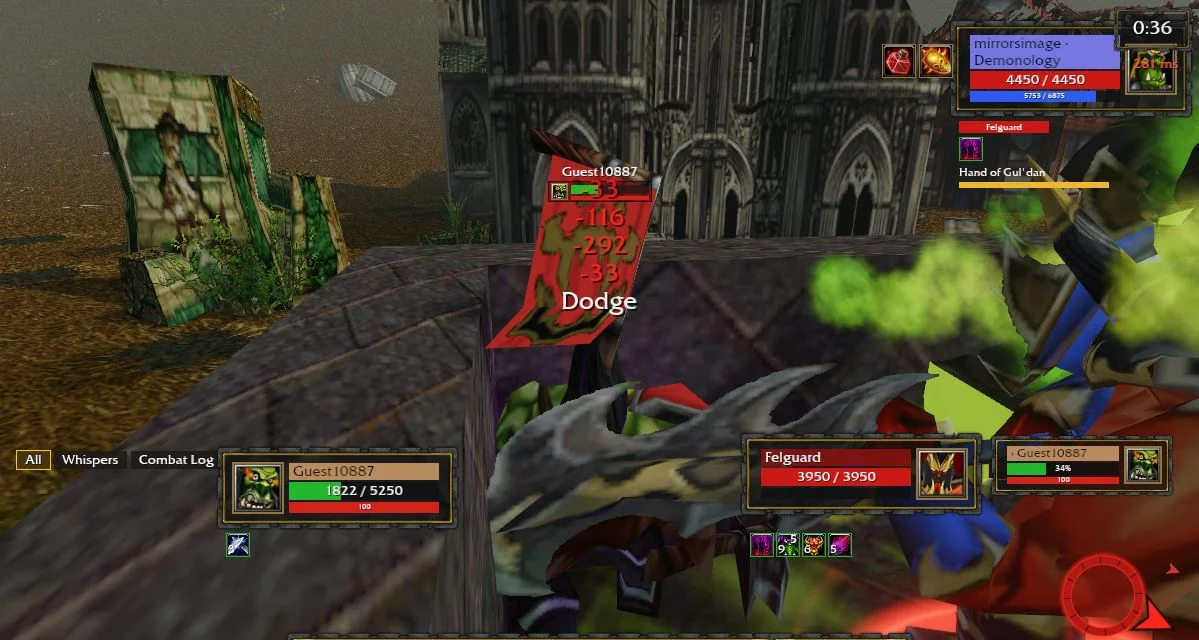
Use the queue controls shown by the client. Wait for the game to move from queue selection into combat; do not treat a menu click as proof that a match has started. Queue times in a WoW browser arena can vary with the service and available players.
Read the result
Our battle ended with a Defeat screen showing 0:42 and 520 damage dealt. This is a concrete example of a completed WoW browser arena session, not a recommended score, a fixed match duration or evidence that other modes work identically.
When the WoW browser arena does not respond
If the same WoW browser arena problem occurs on the official site, the surrounding guide cannot repair it. Note the visible error and your browser/device, and use any support channel the game itself provides. Downloading a desktop client is a separate choice, not a verified cure for latency or loading failures.
| Symptom | Try this | Keep in mind |
|---|---|---|
| Still loading | Allow resources to load; check the connection; retry once | The site and embedded game load separately |
| Blank or blocked frame | Open the official game in its own tab | Browser settings or the third-party service may affect embedding |
| Keyboard seems inactive | Click inside the game and test movement | Page focus is different from game focus |
| Small game area | Use the player’s fullscreen control | Escape returns to the normal view |
| Interrupted session | Reload only when ready to restart | Guest progress persistence is unverified |
FAQ
Before you go
Can I play a WoW browser arena without installing WoW?
Yes: the tested Arena of Champions browser session did not require the WoW client. It still fetched its own resources over the network, so no separate installation does not mean zero downloading.
How do I join my first WoW browser arena match?
Enter as a guest, inspect a hero and right-click Samuro in Town. Choose the match options shown in the client. The complete route we verified used unrated 1v1.
Which WoW browser arena controls were tested?
W/D movement and right-click interaction with the Arena Battlemaster were checked. For other movement and ability bindings, read the current game interface rather than importing a control scheme from another title.
Why is my keyboard not responding?
The browser may be focused outside the game. Click into the canvas, check that the game is ready and try movement. A loading error or lost connection needs separate troubleshooting.
Does this WoW browser arena work on a phone?
The guide is readable on mobile, but a complete touch-controlled match has not been verified. Use a desktop keyboard and mouse for the documented first-match route.