
Is Arena of Champions registration required to play?
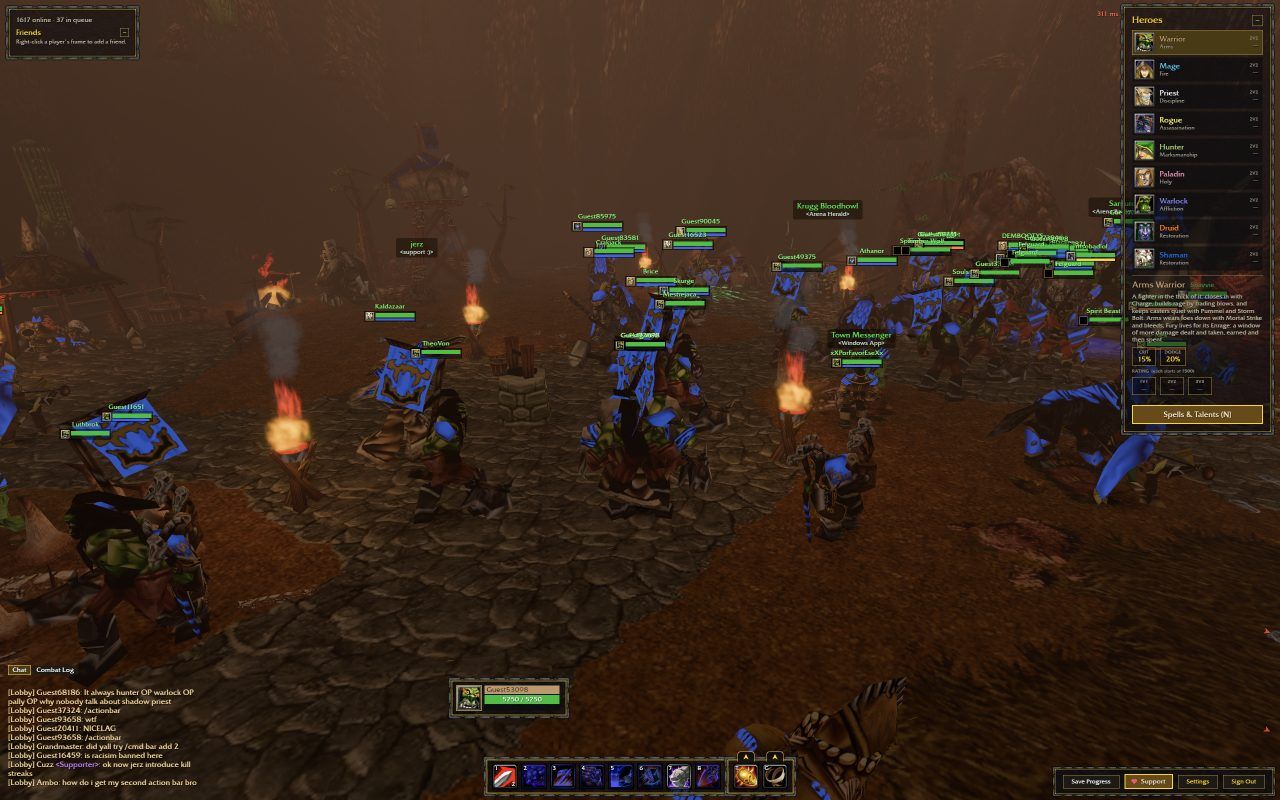
For the documented first session, no. The official login screen offers Play as Guest, and that button took us to Town. We then inspected Heroes, opened the Arena Battlemaster menu and completed a match. This provides a concrete alternative to Arena of Champions registration for someone who simply wants to explore the game.
A successful guest session does not answer every account question. Guest persistence, device transfers and migration to an account remain unverified. Consult the provider’s information if long-term saving is your reason for considering Arena of Champions registration.
Arena of Champions registration vs guest access
Use guest entry to answer a gameplay question: can you navigate the town, inspect a hero and understand a fight? Use the Arena of Champions registration interface only when you intend to create an account with the game provider. These are different decisions; this guide does not require either one to read the site.
The game’s account form belongs to arenaofchampions.live, including when the game is embedded here. Arena of Champions registration does not create a website account on arenaof-champions.com. We do not operate that authentication system and cannot verify a password, change an email or restore a game character.
| Choice | What the screen asks for | What was verified |
|---|---|---|
| Play as Guest | No credentials entered in our test | Town access and a completed unrated 1v1 |
| Sign In | Email and Password | Login form visible; account login not submitted |
| Create an account | Email, Display name, Password, Password again | Registration form visible; no account created |
| Saved or restored progress | Depends on game account behavior | Not independently verified |
Find the Arena of Champions registration screen
Reach the game login screen
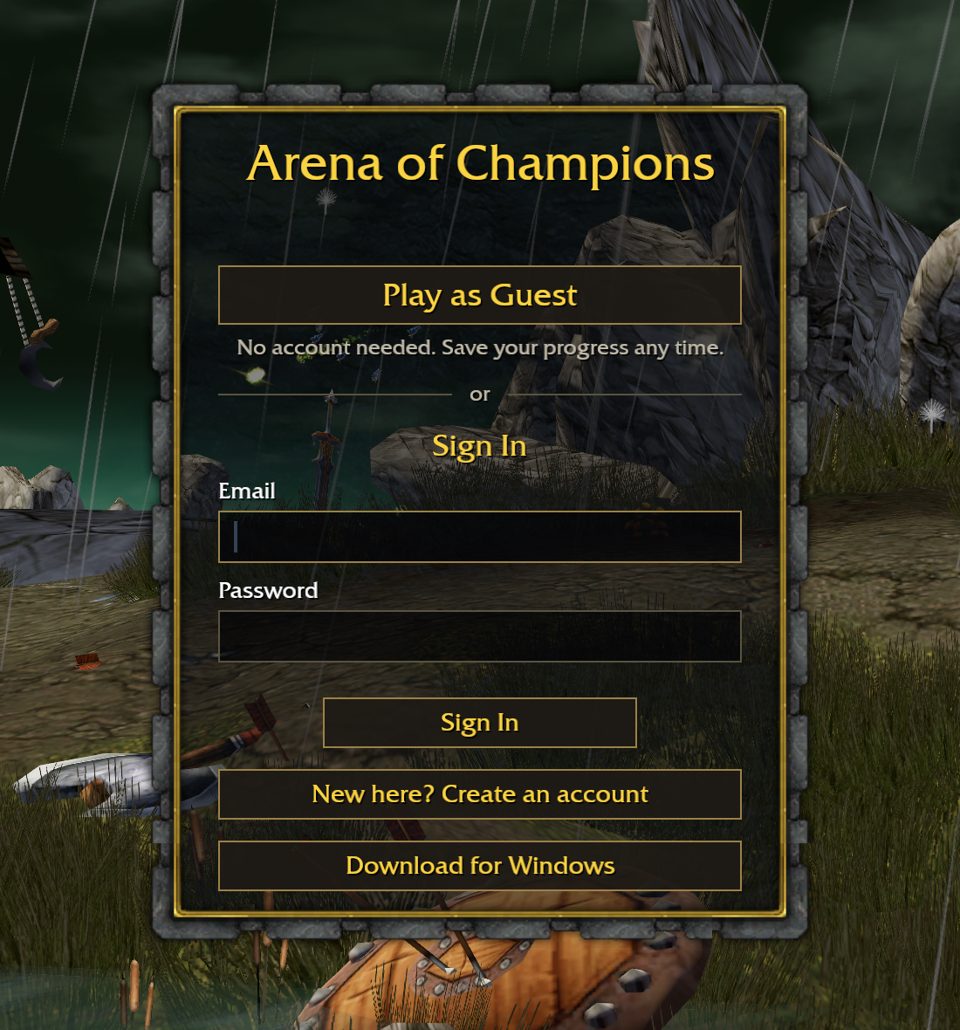
Open the homepage player or official game and wait for its login interface. You should see Play as Guest, the Email and Password sign-in fields, and the account link. If the game is still loading, the Arena of Champions registration controls will not yet be available.
Select Create an account
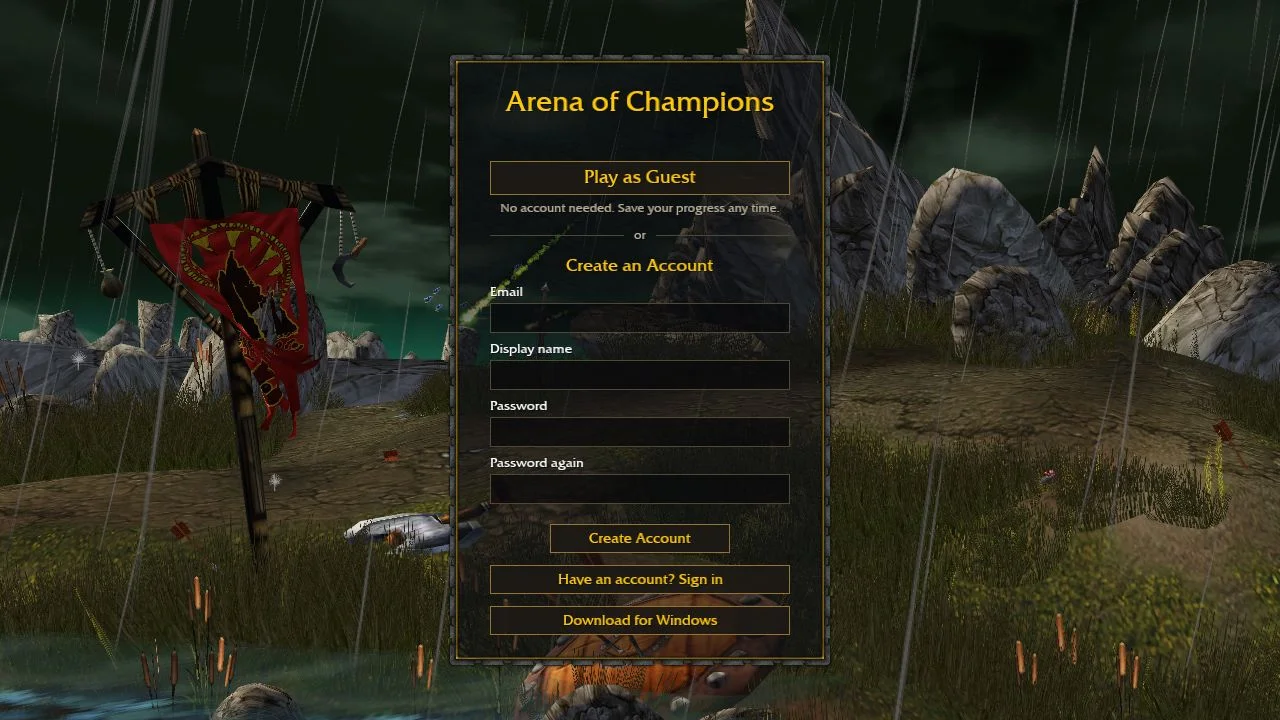
The login screen displays New here? Create an account. Opening that link revealed the Arena of Champions registration form in our inspection. We confirmed its four fields without submitting an account.
Read the four fields
The Arena of Champions registration form labels are Email, Display name, Password and Password again. The submit button says Create Account. These observed labels explain the screen; they do not establish password rules, email-verification requirements or the result of submitting it.
Return to sign-in if needed
Have an account? Sign in appears beneath the form. It is the relevant path for an existing account, rather than attempting Arena of Champions registration again. We have not independently tested successful sign-in or recovery.
Does Arena of Champions registration preserve progress?
Saving has not been established. Verifying it requires comparing a character’s state before and after a later sign-in. The Arena of Champions registration screen alone cannot show whether guest progress is retained or transferred.
Before clearing site data, changing devices or relying on a long guest session, consult the game’s own account information. This Arena of Champions registration guide does not promise automatic saving, guest-to-account migration or recovery after browser storage is removed. Avoid treating a reload as a harmless progress check when persistence is unknown.
Arena of Champions registration and sign-in problems
Never send a game password or recovery code to our site contact address. Arena of Champions registration takes place in the provider’s interface, and account problems must be handled through its channels. We cannot access the game’s user database or intervene in a login attempt.
If you report an Arena of Champions registration guide issue, include the page address and the wording that appears incorrect. A description of the visible screen is useful; a private account identifier is usually unnecessary. For general loading problems, use the browser troubleshooting guide before changing account details.
| Situation | What to do |
|---|---|
| No account link visible | Wait for the actual game login screen; try the official game tab if the frame fails |
| You only want to try combat | Use Play as Guest and follow the first-match guide |
| The form rejects an entry | Read the game’s own message; do not infer undocumented rules from this guide |
| Password or email problem | Use a recovery or support channel provided by the game, if available |
| The guide contains an error | Contact this website about the text or broken link, without sending credentials |
FAQ
Before you go
Is Arena of Champions registration mandatory?
Not for the tested guest route. Play as Guest reached Town and a completed unrated 1v1 without account creation. That result does not establish access to every feature or long-term progress storage.
Can I try the game before Arena of Champions registration?
Yes. Use the guest option in the game’s own login screen. If you later choose to create an account, check the provider’s current instructions rather than assuming your guest session will transfer.
Where is the Arena of Champions registration button?
Open Create an account beneath the login form. The observed registration screen contains Email, Display name, Password, Password again and a Create Account button.
Does guest progress save automatically?
We have not independently tested guest persistence, account saving or recovery. A completed battle confirms playability in that session, not automatic saving across later visits.
Can this site fix Arena of Champions registration or recover my password?
No. This site provides an independent guide and game entry point. Use the game provider’s available account channels, and never send us your password or recovery codes.